

The Work Behind AV That Works, Continued
How one remote presenter or one late slide deck can change an entire production
[Part two of our conversation on AV — also see Part one: Built In, Not Bolted On: What Good AV Actually Buys You]
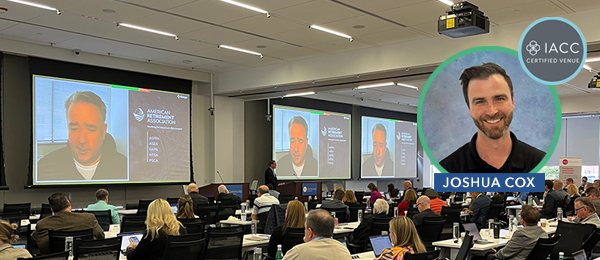
Anyone who works in events has a story about the last-minute save no one in the audience ever knew happened. Joshua Cox, the OLC’s AV Media Production Manager, had one of those moments ten minutes before a virtual presentation. A CFO’s camera appeared to fail. The fix was a plastic privacy cover that had been left closed. The audience never knew there was a crisis.
That moment captured one part of AV work: knowing what to ask under pressure. But much of the team’s job at the OLC Education & Conference Center happens earlier, in the technical decisions, files, rehearsals and staffing choices that determine whether there is a problem to solve at all.
The “Small” Request That Changes Everything
One of the most deceptively simple requests Josh hears is: “We would like one presenter to join through Zoom or Microsoft Teams.” From the planner’s perspective, one person will appear on a screen. Behind the scenes, the request changes the system.
The remote presenter must hear the room. The room must hear the presenter. Microphone and program audio must travel in both directions without creating an echo or feedback loop. The camera feed must be converted and routed into the virtual platform. The production team must decide whether the room will see the speaker, the slides or both, and how each will appear on screen.
The presenter also needs to connect in advance so the team can test their equipment and internet connection. What sounds like one video call can affect audio routing, camera feeds, screen layouts, staffing and rehearsal time.
None of this is an argument against adding remote participation. It is an argument for involving the technical team early enough to do it well.
The Show Starts Before the Doors Open
The most preventable AV issue we encounter is also one of the least dramatic: presentations arriving too late.
Slide decks may rely on fonts that are not installed at the venue. They may include embedded video or audio, use an unusual aspect ratio, or encounter company security restrictions. A laptop that worked perfectly in one office may interact differently with the presentation system at the venue.
Receiving the files in advance allows the AV team to test them before attendees enter the room. Instead of troubleshooting a laptop moments before a session, the team can focus on the presenter—fitting the microphone, setting the lighting, cueing music and loading the correct deck.
We also work with planners for a complete agenda with confirmed start and end times, speakers’ full names and presentation titles that match the submitted files. Individually, these are small details. Together, they allow the technicians to organize content, build cues and keep the program moving.
A rehearsal adds another layer of protection. Even a brief run-through gives the planner, speakers and technical team an opportunity to confirm the program’s flow and identify problems while the seats are still empty.
The Most Important AV Investment Isn’t Always Equipment
Technology alone does not anticipate a late schedule change, reassure a nervous presenter or recognize that one adjustment will create a problem somewhere else in the system. People do.
Josh has built a crew whose experience ranges from fewer than two years in the industry to nearly four decades. Individual technicians have specialized expertise, but they can also step into other roles when needed. That flexibility is particularly valuable for medical and med-tech programs, where accuracy, timing and professionalism are critical.
Staffing decisions matter as well. Audio, video, presentations, lighting and streaming are separate functions. An experienced technician may be capable of handling several of them, but moving among several responsibilities increases the risk that a cue will be missed.
Reducing the crew may lower the initial estimate. The tradeoff is that the remaining technicians have less capacity to anticipate what comes next.
At the OLC, an AV team familiar with the facility’s installed system supports the agenda. Additional crew and equipment can be tapped according to the complexity of the program. The foundation is already in place, while the production can still scale when the event requires more.
What Good AV Is Really Worth
The return on AV is not always a spectacular visual effect or a wall of equipment. Sometimes, it is a presenter who can look forward instead of repeatedly turning around to check a slide; the remote participant who can hear the same questions and discussion as everyone in the room; and the agenda that keeps moving through speaker changes, videos and live connections without losing time. None of these outcomes are especially dramatic. Together, they determine whether attendees can focus on the material rather than the mechanics of how it is being delivered. And the value continues after the room empties. A well-produced training session can become on-demand accredited education. A training demonstration can be shared with teams that were not present. A conference presentation can be edited into shorter content for future use. That requires more than placing a camera in the back of the room. The audio, slides, lighting, camera feeds and intended use of the material all need to be considered before recording begins. At the OLC, our experienced production team works with clients from those first conversations through rehearsal, livestreaming, recording and post-production – creating content for CME programs, medical training, conferences and hybrid events.